
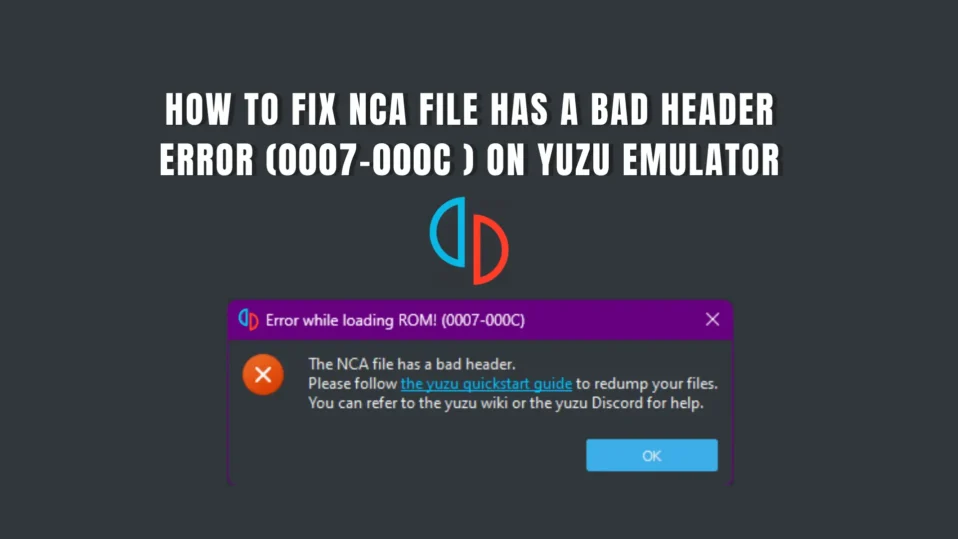
The Bad Header Error in Yuzu Emulator usually appears when the emulator is unable to read or properly validate the header information of a game file, such as NSP, XCI, or NCA.
In most cases, this issue is linked to problems like corrupted game dumps, incorrect or outdated Yuzu keys and firmware mismatches, or files that were not extracted correctly. Even small inconsistencies in these areas can prevent the emulator from recognizing the file as valid.
To fix the problem effectively, it helps to first understand what the error actually means and how the emulator processes game data.
What Does the Bad Header Error Mean?
Every Nintendo Switch game file contains a header, which acts as a metadata block. This header includes important details such as the title ID, encryption information, file structure, and integrity verification data.
When you load a game, the emulator checks this header using Prod.Keys and firmware components. If the emulator cannot decrypt or verify the header, it assumes the file is invalid and throws the Bad Header Error.
In simple terms, the emulator is unable to confirm that the game file is complete, authentic, and usable.
Common Causes of the Bad Header Error
Several factors can lead to this issue. Understanding these causes can help you identify the exact problem more quickly.
- Corrupted NSP/XCI File
If the game file is incomplete or damaged, the header may be unreadable. - Missing or Outdated Prod.Keys
Without correct keys, the emulator cannot decrypt the file properly. - Firmware Mismatch
Using outdated or incompatible firmware can cause validation failures. - Incorrect File Extraction
Improperly extracted files may lose critical header data. - Incomplete Game Dump
Errors during dumping from a console can result in invalid files. - Incorrect File Renaming
Changing file extensions or names improperly can confuse the emulator. - Unsupported Game Update or DLC
Some updates or DLCs may not be compatible with your current setup.
Fix the NCA File Has A Bad Header Error?

Below, we’ve outlined some effective troubleshooting methods that can help you fix the “The NCA File has a Bad Header (0007-000C)” error in Yuzu Switch Emulator.
Fix 1: Verify Your Game File Integrity
Start by checking whether your game file is actually valid. In many cases, the “NCA File has a Bad Header (0007-000C)” error appears because the file is incomplete or corrupted. This can happen if the download was interrupted or the file was transferred incorrectly.
If you downloaded the game, try downloading it again from a reliable source. If you dumped the game yourself, consider re-dumping it carefully from your console. Even a small error during the process can make the file unreadable.
Also, make sure the file format is correct (NSP or XCI) and that it hasn’t been modified or partially extracted. Clean and untouched files are essential for proper emulation in tools like Sudachi Emulator and Yuzu.
Fix 2: Update or Add Correct Prod.Keys


Prod.Keys are required to decrypt Nintendo Switch game files. If your keys are missing, outdated, or mismatched with your firmware, the emulator will fail to read the NCA header properly.
Make sure you are using the latest switch Prod.Keys that match your current firmware version. Place them in the correct keys folder used by your emulator. If you already have keys set up, try replacing them with updated ones.
Many users report that simply updating their keys resolves the bad header error without needing further changes.
Fix 3: Install or Update Firmware

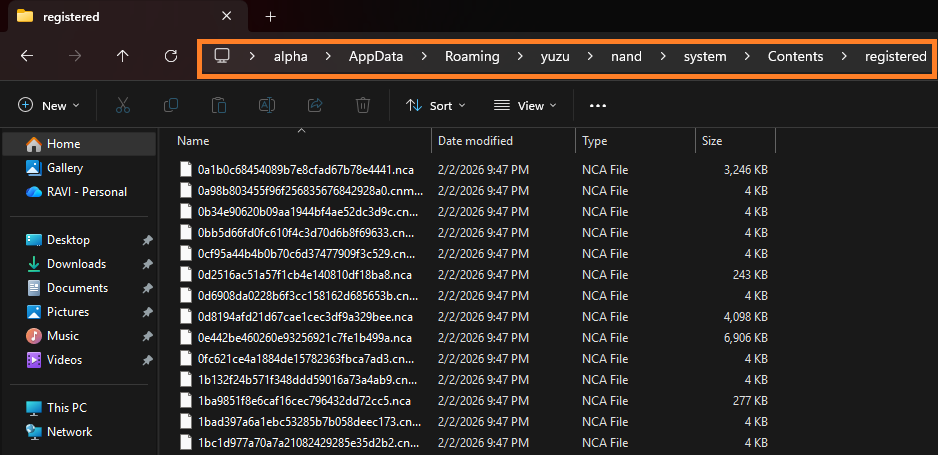
Firmware works alongside Switch Keys to ensure games run correctly. If your Switch firmware is outdated or not installed properly, the emulator may not be able to interpret game data, leading to header-related errors.
Install the latest compatible firmware version in your emulator. After installation, restart the emulator before launching the game again.
Keeping firmware and keys in sync is important for avoiding compatibility issues in both Sudachi Emulator and Yuzu.
Fix 4: Avoid Modified or Trimmed Game Files

Using modified, trimmed, or repacked game files is a common cause of this error. These versions often remove or alter important parts of the original file, including the header.
It’s always better to use clean, original dumps. While trimmed files may save storage space, they can create compatibility problems.
If you suspect your file has been modified, replace it with a fresh and unmodified version.
Fix 5: Check File Location and Path Issues
Sometimes the issue is not with the file itself but where it is stored. Files located in restricted system folders or directories with complex paths may not be read properly by the emulator.
Move your game files to a simple and accessible location, such as:
- Documents
- Desktop
- A dedicated “Games” folder
Avoid long file paths or special characters, as they can interfere with file access.
Fix 6: Reinstall or Update Emulator
If everything else seems correct, the problem might be related to the emulator version you are using. Bugs or outdated builds can sometimes fail to recognize valid game files.
Download the latest version of your emulator and reinstall it. This ensures you get the latest bug fixes and performance improvements.
After reinstalling, make sure to properly set up your Prod.Keys and firmware again before testing your game.
Fix 7: Delete Temporary Files on Your PC
Temporary files can sometimes interfere with how the emulator reads game data, especially if corrupted cache files are present. Clearing them is a simple but effective first step.
To delete temp files:


- Press Windows + R to open the Run dialog box
- Type %temp% and press Enter
- This will open the Temp folder
- Select all files (Ctrl + A) and press Delete
- Skip any files that cannot be deleted

Once done, restart your system and launch Yuzu again to check if the issue is resolved.
By following these methods, you can effectively fix the “The NCA File has a Bad Header (0007-000C)” error and improve overall compatibility while using Sudachi Emulator or Yuzu.
Frequently Asked Questions (FAQs)
What does “NCA File Has a Bad Header (0007-000C)” mean in Yuzu?
This error means that Yuzu is unable to read or verify the header of the game file. It usually happens when the file cannot be decrypted due to missing keys or when the file itself is corrupted.
Can a corrupted game file cause this error?
Absolutely. If your NSP or XCI file is incomplete, damaged, or modified, the emulator will fail to validate its header. This is one of the most common causes, and re-downloading or re-dumping the game usually fixes it.
What is the fastest way to fix this error?
The quickest method is to:
Update your Prod.Keys
Install the latest firmware
Verify or re-download your game file
This combination resolves most cases of the Bad Header Error in Yuzu.
Can incorrect file extraction cause this issue?
Yes. If the game file was extracted improperly or altered during extraction, it may lose critical header data. Always use clean, properly dumped files and avoid modifying them.
Will updating Yuzu fix the bad header error?
Sometimes. If the issue is caused by outdated emulator builds or compatibility bugs, updating Yuzu can help. However, most cases are related to keys, firmware, or game files rather than the emulator itself.
Final Thoughts
The “The NCA File Has a Bad Header (0007-000C)” error in Yuzu may look complex, but it usually points to a very specific issue—most commonly missing or incorrect decryption keys, corrupted game files, or mismatched firmware.
From a technical standpoint, this error often occurs because the emulator cannot validate or decrypt the NCA header properly. For example, error code 0008-000C specifically indicates that the required production key file is missing or not configured correctly. In other cases, it may also be caused by an incomplete or bad game dump, which prevents the emulator from reading the file structure correctly.
The key to fixing this issue is taking a structured approach. Start by verifying your game file, then ensure your Prod.Keys and firmware match, and finally confirm that your emulator is updated and properly configured. Once these core components are aligned, the error is usually resolved without further complications.
